
Eyonic ELV Service
Practical planning, supply and installation
Eyonic supports swing and sliding gate automation with practical planning around safety, controls and everyday reliability.
01
Site survey
02
System proposal
03
Installation & handover
Where we have done this
Installed for practical Sarawak client needs
Eyonic supports this service for client types such as homes, retail shops, offices and operating sites that need dependable security, access or connectivity.
Why you need it
A system that solves a real site problem
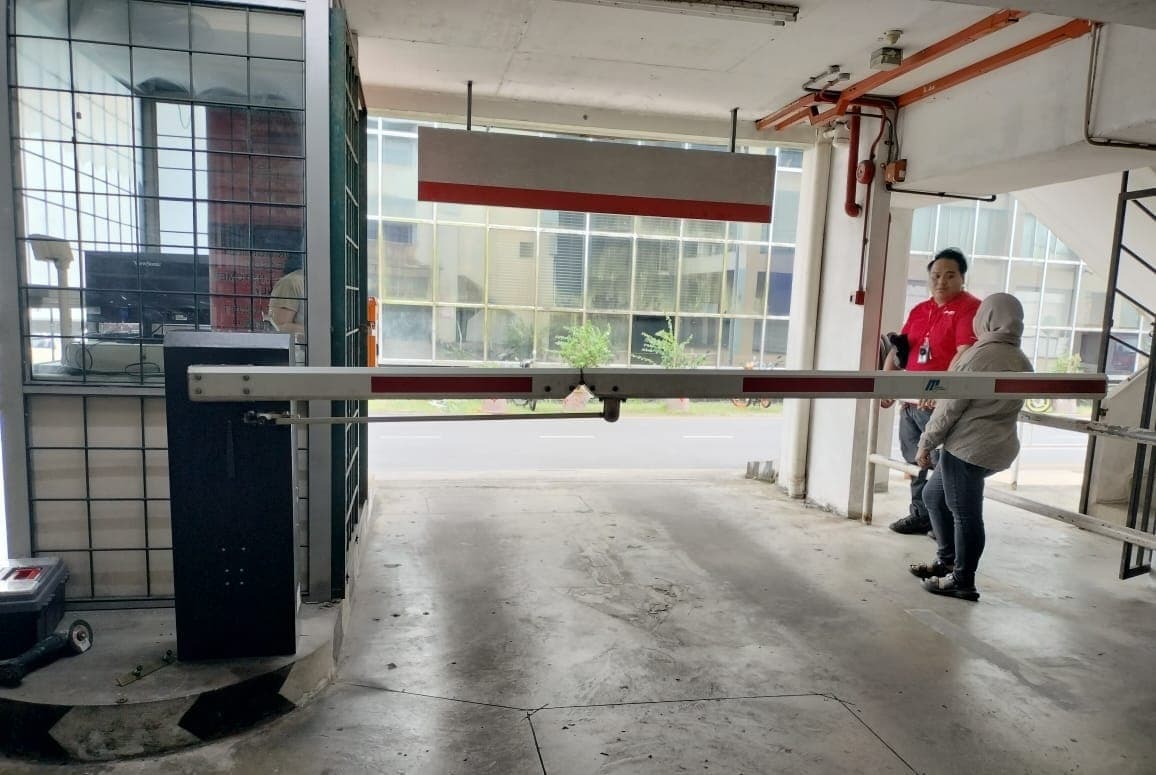
Autogate systems improve convenience and controlled access for homes, shoplots and commercial entry points. They are helpful when gates are used frequently, when weather makes manual opening inconvenient, or when entry needs to be managed from inside the property.
Why it is good
A good autogate setup considers swing or sliding gate type, motor strength, remote controls, safety behavior and cable routes. This keeps the system practical for daily use instead of only looking good on installation day.
Is it worth it?
It is worth it when your gate is part of your daily routine. The value is convenience, safety and a more controlled entry point, especially for families and businesses that open and close gates many times a day.
How much does it cost?
We have promo RM1500 for a basic system setup. WhatsApp me now!! Final pricing depends on site condition, equipment selection and installation scope.
WhatsApp me nowWhat to expect from us
Clear recommendations, clean work and useful handover
- Gate-type assessment and motor recommendation
- Remote-control and safety planning
- Testing and user handover after installation
Detailed guide
What is Autogate Systems?
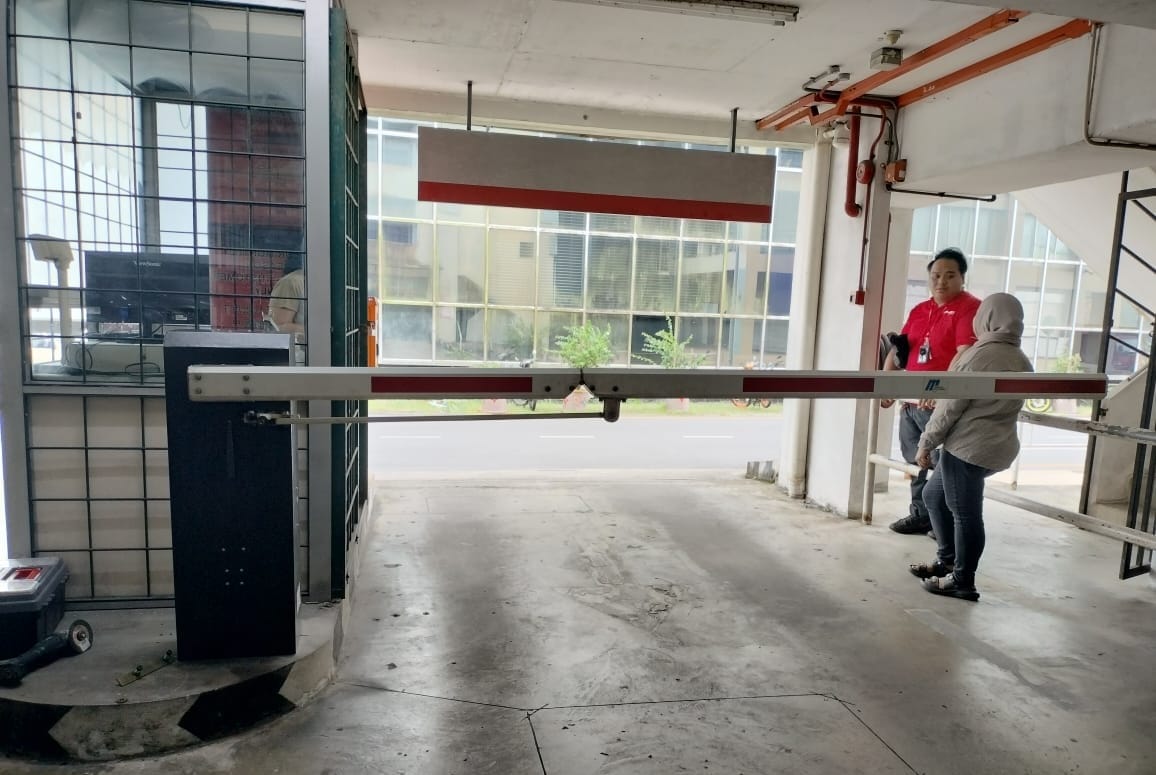
Autogate Systems is a practical motorized gate automation system planned for residential gates, shoplot entrances, small commercial compounds, staff parking entrances and controlled property access points. In simple terms, it is not only a product purchase. It is a site system made from the correct equipment, suitable mounting locations, clean cabling, proper configuration, user training and support after installation. The right setup should make the property easier to manage every day, whether the user is a homeowner checking activity from a phone, a shop owner reviewing an incident, an office manager controlling staff entry or an operations team keeping a remote site connected.
For Eyonic, the starting point is always the real site. We look at how people enter, where staff or family members move, where equipment can be installed neatly, what the user wants to see or control, and what will happen after installation day. A autogate system should answer a clear need: safer entry, better visibility, faster checking, more convenient operation, stronger communication or more reliable connectivity. That is why we avoid treating every property the same way.
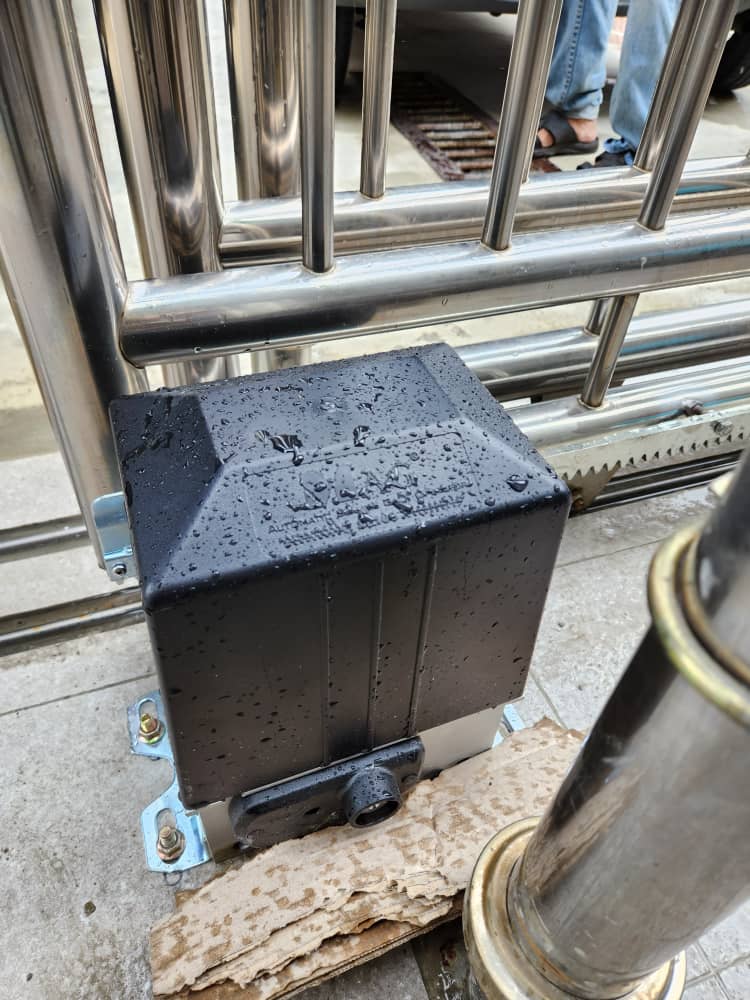
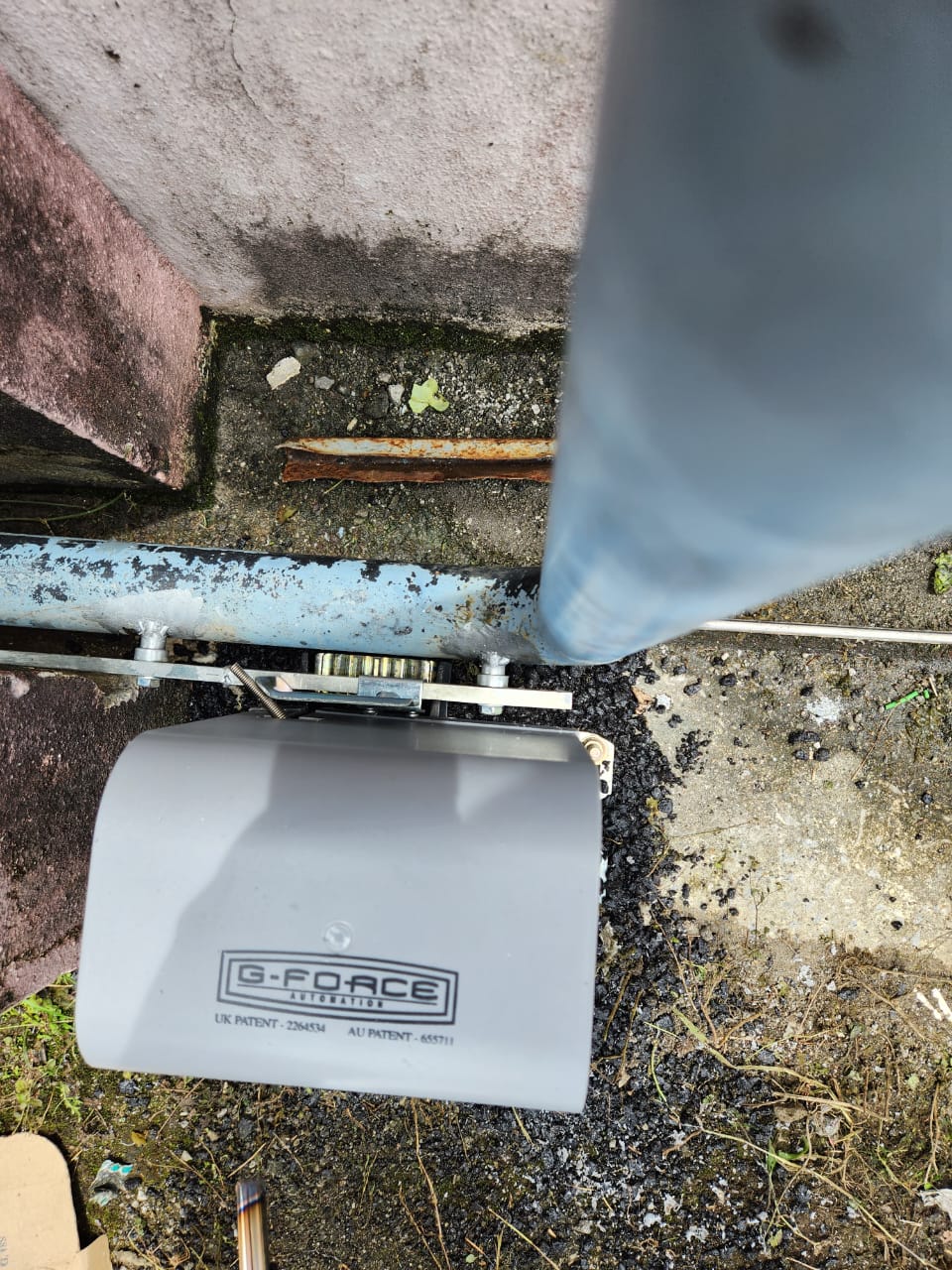
A complete autogate system can involve swing gate motors, sliding gate motors, control boards, remote controls, key switches, safety beams, brackets, power cabling and manual-release mechanisms. Some projects need only a small starter setup, while other sites need a more integrated design across CCTV, access control, alarm, intercom, autogate, internet and monitoring points. The important part is choosing the level that fits the actual risk, budget and operation. When the system is planned well, the owner gets a cleaner result and avoids paying for hardware that does not solve the main problem.
The main planning focus is gate weight, hinge condition, track condition, opening space, motor force, safety clearance, power route, remote range and how the gate is used every day. These details sound technical, but they are what decide whether the system feels useful after handover. A camera that cannot see the face, a door lock installed on a weak frame, an alarm sensor facing the wrong movement path, a gate motor fitted on a poorly aligned gate or a router hidden in the wrong corner can all reduce the value of the installation. Careful planning prevents those common issues.
The risk of a rushed installation is that choosing a motor without checking the gate can cause slow movement, overload, noisy operation, safety problems or repeated service calls. This is why Eyonic explains the practical trade-offs before installation. Sometimes the best recommendation is not the most expensive option. Sometimes it is a cleaner cable route, a better mounting height, a stronger power point, a more suitable device model or a simpler system that the customer can operate confidently.
The outcome we want is more convenient entry, controlled gate movement, safer daily use and a system that is easier for families or staff to operate. We want the system to work for the person using it at 8 AM on a busy day, at night when the site is closed, during rain, during a power interruption and months after installation when footage, access or alerts may suddenly matter. Good ELV work is not only about making devices turn on. It is about making the system understandable and dependable.
Installation workflow
How we install it
Our installation method is built around survey, recommendation, installation, testing and handover. The exact equipment changes from one service to another, but the discipline is the same: understand the site first, install neatly, configure properly and make sure the user knows what to do after we leave.
01
Check swing or sliding gate type, weight and alignment
This step keeps the final system aligned with the property layout, the user routine and the practical support needs after handover.
02
Recommend motor size and mounting method
This step keeps the final system aligned with the property layout, the user routine and the practical support needs after handover.
03
Plan power, control box position and safety accessories
This step keeps the final system aligned with the property layout, the user routine and the practical support needs after handover.
04
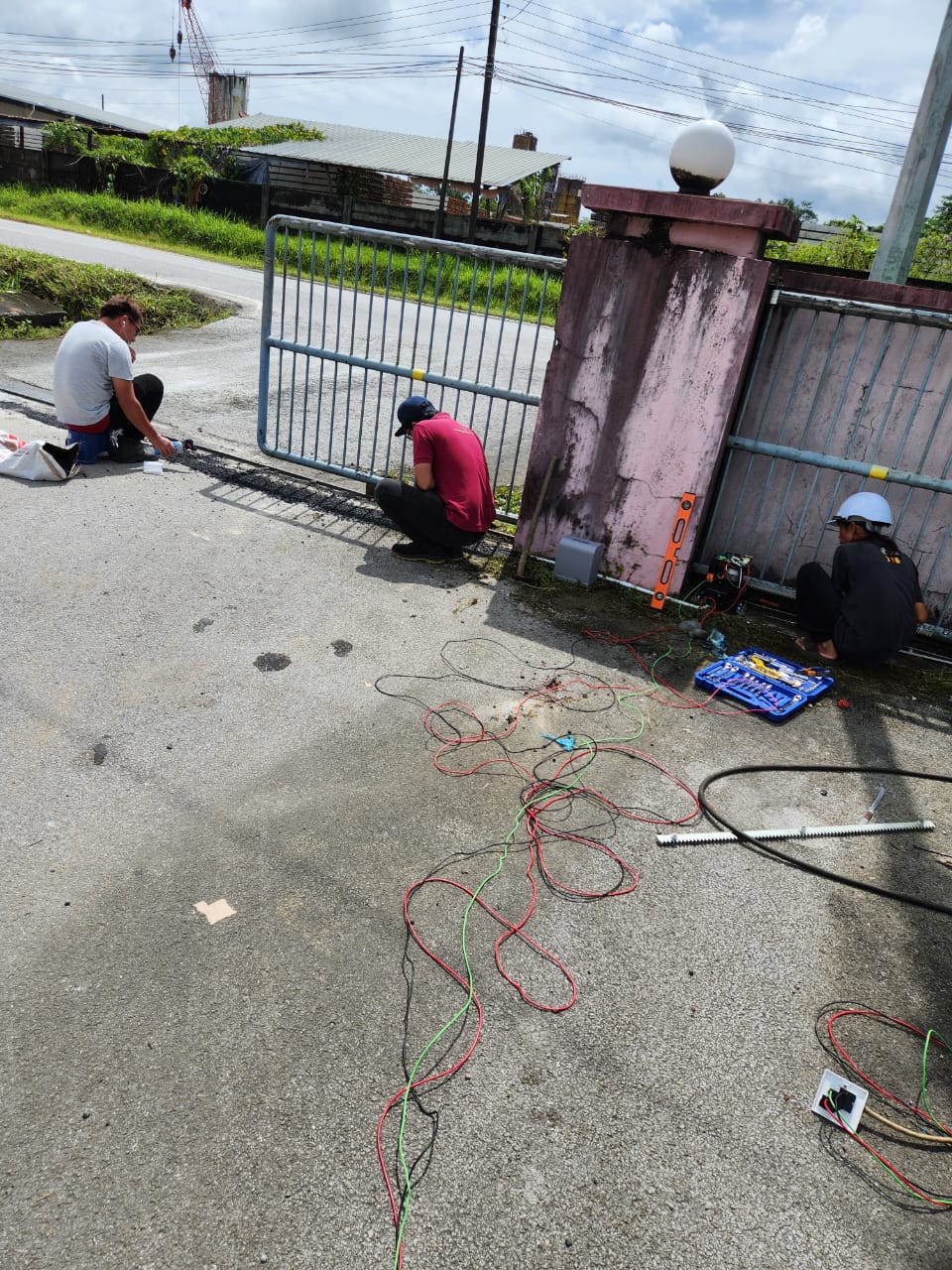
Install motor, brackets, control board and remote receiver
This step keeps the final system aligned with the property layout, the user routine and the practical support needs after handover.
05
Set travel limits, force, speed and manual release
This step keeps the final system aligned with the property layout, the user routine and the practical support needs after handover.
06
Test multiple open-close cycles and train users
This step keeps the final system aligned with the property layout, the user routine and the practical support needs after handover.
Why you need it
Useful when the site needs clearer control
Autogate systems improve convenience and controlled access for homes, shoplots and commercial entry points. They are helpful when gates are used frequently, when weather makes manual opening inconvenient, or when entry needs to be managed from inside the property.
You may need autogate systems if your site has repeated uncertainty: you are not sure who entered, you cannot check a location remotely, staff have to manage keys manually, visitors wait without direction, or the internet behind your security system is unreliable. These are operational problems, not just equipment problems. A well-planned installation reduces the guesswork and gives the owner a clearer way to respond.
Autogate Systems is also useful when the property is growing. A home may start with only a few important entry points, then later add alarm zones, smart locks or autogate. A business may begin with CCTV and later add door access, intercom or backup internet. When Eyonic plans the layout, we consider how the system may expand so the first installation does not block future improvement.
Site-fit chart
Where it performs well
Convenience
94%
Daily use improves immediately when the gate is reliable.
Safety planning
80%
Sensors and force settings reduce avoidable risk.
Gate condition
78%
Mechanical alignment affects motor lifespan.
Best for
properties where the gate opens frequently, where rain makes manual opening inconvenient, or where entry should be controlled from inside the property
Main outcome
more convenient entry, controlled gate movement, safer daily use and a system that is easier for families or staff to operate
Main risk if done badly
choosing a motor without checking the gate can cause slow movement, overload, noisy operation, safety problems or repeated service calls
Comparison table
Choosing the right level of system
| Option | What it means | Best use case |
|---|---|---|
| Swing autogate | Motor arms or underground-style movement for hinged gates | Best for common residential gates |
| Sliding autogate | Motor and track movement for side-sliding gates | Best for heavier or space-saving entrances |
| Access-linked autogate | Gate automation combined with keypad, card or intercom | Best for controlled commercial entry |
Pros
What works well
- Makes daily entry more convenient and controlled
- Useful for families, staff and properties with frequent gate movement
- Can support remote controls, keypads or additional access devices
- Improves comfort during rain, late-night entry and busy routines
Cons
What to plan carefully
- Gate condition must be suitable or repaired first
- Motors need correct sizing for gate weight and usage
- Power interruption and manual release must be understood
- Safety planning matters around children, vehicles and pedestrians
Eyonic experience
How our experience helps your site
Eyonic can do this for you from consultation to handover. We start by listening to the problem you want to solve, then we check the site condition, recommend a practical scope, explain what should be installed, and carry out the work with clean cabling and proper testing. If the site needs a basic package, we keep it simple. If the site needs a more complete solution, we explain the stages clearly so the owner can decide with confidence.
Our experience comes from working with Sarawak homes, shops, offices, service counters, education sites, government-related environments, hospitals, utility teams and remote operations. These environments do not behave the same way. A home needs family-friendly use. A retail shop needs transaction visibility and after-hours checking. An office needs access permissions. A remote site needs connectivity. This mix of experience helps us ask better questions before recommending equipment.
After installation, we test the system with the user in mind. That means checking viewing angles, playback, lock behavior, alarm triggers, gate movement, intercom audio, Wi-Fi reach or queue calling flow depending on the service. We also explain the daily steps: how to view, how to open, how to arm, how to reset, how to call, how to check internet status and when to contact us for support.
How we can do it for you
A practical path from inquiry to working system
01
Contact
Send us your location, property type and what problem you want to solve.
02
Survey
We review layout, cable paths, power, network and daily user flow.
03
Proposal
We recommend a practical scope with clear equipment and installation notes.
04
Install
We install, configure and test the system under normal site conditions.
05
Support
We hand over the system and remain available for practical after-sales support.