
What Digital Queue Management Means for Service Environments
Digital queue management covers the tools and methods a business uses to move people through a service point without a disorderly physical line. A customer takes a ticket from a kiosk, joins a queue on a mobile phone, or checks in at a counter, and the system holds their place until a staff member becomes available. The core idea is that the queue exists in software rather than as a crowd standing in a corridor.
The approach matters most in places where arrival patterns are uneven and demand spikes at certain hours. A clinic, a government office, or a busy retail counter can all face the same problem: too many people arriving at once, not enough service windows open, and no clear way to tell customers how long they will wait. Digital queue management gives the organisation a structured way to handle that pressure.
How Digital Queue Management Works in Practice
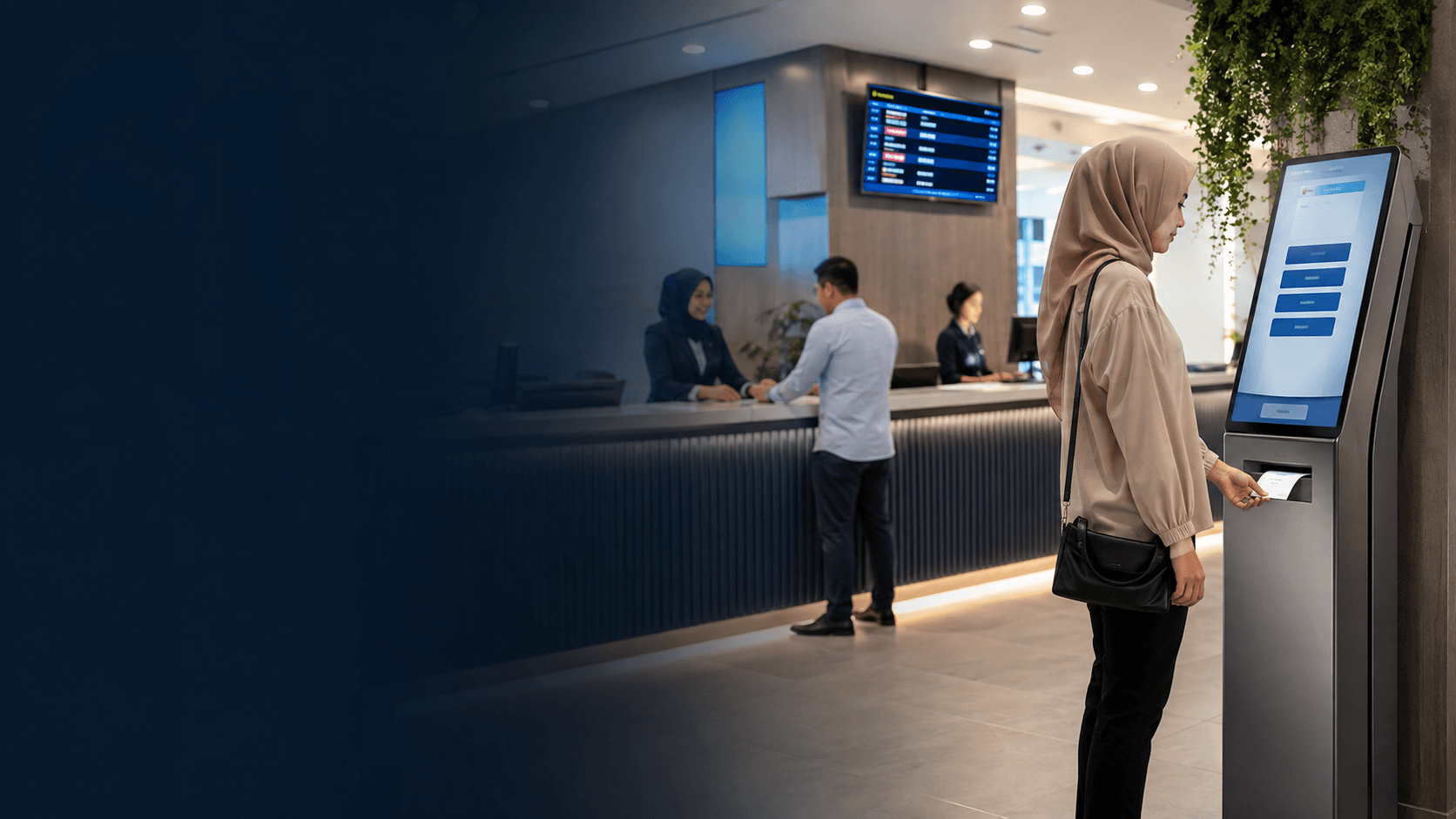
A typical setup links several components into one flow. Customers first register their arrival, either through a self-service kiosk, a counter terminal, or a mobile interface. The system assigns each person a position in the queue and stores that information centrally. Staff at service points see the next customer in line on their own screens and call them forward when ready.
The visible parts of the system include the queue display screens that show ticket numbers and counter assignments. Behind those screens, the software tracks waiting times, service durations, and the number of customers in each queue. Managers can watch this data live and open extra counters when a queue grows too long.
Some systems add a virtual layer where customers do not need to stay in the building. They can register remotely and arrive when their turn approaches, which suits appointment-based services. Others keep customers on site but give them freedom to sit away from the queue area instead of standing in a line.
Key Benefits of Digital Queue Management
The main gain from digital queue management is a calmer, more organised waiting experience. Customers receive a clear signal about their position and can relax instead of guarding a spot in a line. Staff benefit too, because they can call the right customer forward without shouting over a crowd or guessing who arrived first.
Operational visibility is another advantage. The system records how long each service takes and how many customers pass through each counter. That data helps a manager spot bottlenecks, adjust staffing, and plan for busy periods. A queue that regularly backs up at lunchtime becomes a scheduling problem with a clear fix rather than a daily mystery.
Digital queue management also reduces the pressure on physical space. A waiting room designed for twenty seated people cannot safely hold forty standing in a queue. When customers wait in a virtual line or sit anywhere in the building, the floor plan works harder. This matters in public offices and clinics where crowding creates safety and comfort concerns.
Where Digital Queue Management Is Used
Government service counters handle high volumes of visitors with different needs, which makes them a natural fit for structured queuing. The Kuching Immigration Office project completed by Eyonic focused on arrival flow, staff areas, and visitor movement, showing how a public office in Sarawak depends on orderly daily operation. A digital queue system supports exactly that kind of environment by directing visitors to the correct counter and preventing congestion at entry points.
Healthcare facilities use queue management to separate urgent cases from routine visits and to keep waiting areas from overflowing. Banks and financial services apply it to manage teller traffic and direct customers to the right service desk. Retail stores use it during launches or peak hours when demand briefly exceeds counter capacity.
Engineering consultancy offices and similar professional settings have lighter needs, but they still handle visitor flow and staff movement. The KTA Sarawak project for Eyonic involved a practical office setup in Kuching to support staff movement and visitor handling. In such spaces, a simple check-in system can replace the awkward moment when a visitor stands at the reception desk unsure of who to see.
How to Implement Digital Queue Management
Rolling out a queue system works best as a structured process rather than a single purchase decision. The steps below follow the same practical sequence Eyonic applies to installation work, starting with understanding the site before choosing equipment.
- Survey the physical space to map arrival points, service counters, waiting areas, and staff movement patterns.
- Define the service flow, including how customers register, what queues exist, and which staff serve which functions.
- Select the system components that match the site, such as kiosks, display screens, counter terminals, or mobile check-in.
- Install the hardware and software, then test the full flow from customer arrival to service completion.
- Train staff on calling customers forward and handling exceptions like no-shows or priority visitors.
The site survey step deserves attention because queue systems fail when they ignore the actual building layout. A display screen mounted where waiting customers cannot see it helps no one. A kiosk placed in a narrow entryway creates a new bottleneck instead of removing one. Checking the real conditions on site before confirming placement applies to queue hardware just as it does to camera positioning.
Staff training is the step most often underestimated. A queue system only works when every counter operator uses it consistently. If one staff member calls customers by eye instead of using the system, the queue order breaks down and customers lose trust in the displayed numbers.
Choosing the Right Digital Queue Management System
The right system depends on the service volume, the building layout, and the type of customers who visit. A small office with a handful of daily visitors needs a lighter setup than a government office processing hundreds of people each day. Matching the system to the actual demand prevents both overspending and under-provisioning.
Consider how customers will join the queue. A walk-in counter with high traffic benefits from a self-service kiosk that issues tickets quickly. A service that takes appointments may work better with mobile check-in that lets customers register before arrival. Some venues combine both, offering a kiosk for walk-ins and a mobile option for those who booked ahead.
Display and notification choices also matter. On-site screens suit environments where customers wait in a designated area. SMS or app notifications suit services where customers prefer to wait elsewhere. The system should match how the customers actually behave, not how the vendor imagines they behave.
Integration with existing systems is a practical constraint. A queue system that cannot share data with the booking calendar or the customer database creates extra manual work. Checking compatibility before purchase saves frustration later.
Digital queue management is not a single product but a category of solutions that share one goal: replacing disorderly waiting with a structured, visible process. The best choice for any organisation balances the volume of visitors, the physical space available, and the way staff deliver service. A system that fits those three factors will reduce crowding and make the wait easier to manage for everyone involved.