
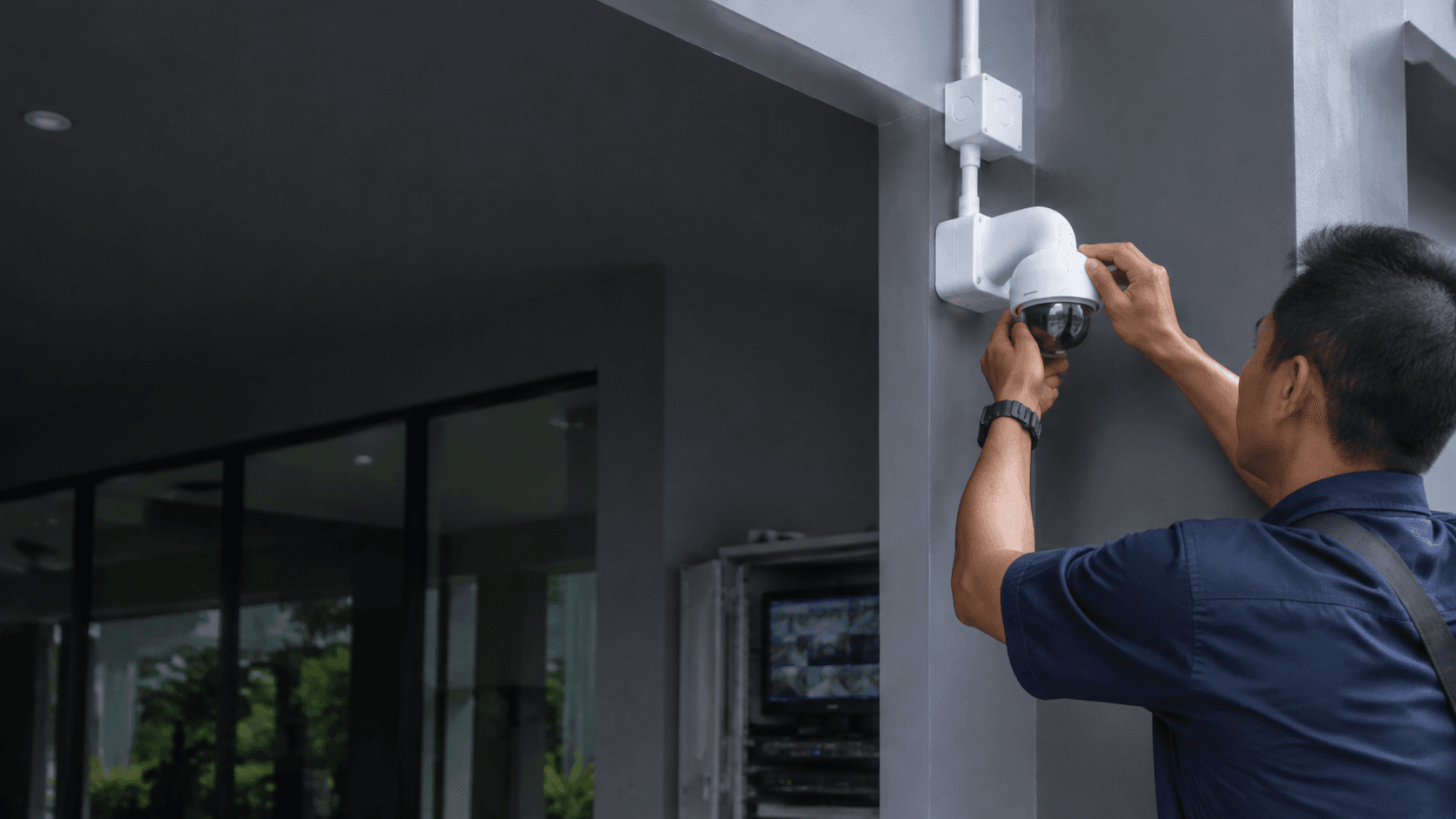
Wireless Cameras For Home. What to Expect
Wireless cameras for home security have become the default choice for many Malaysian homeowners because they remove the need to run video cables through walls and ceilings. The camera still needs electrical power unless it runs on batteries, but the video signal travels over the home Wi-Fi network to a recorder or directly to a phone app.
The term "wireless" covers two different setups. Battery-powered cameras are fully cordless and can be placed almost anywhere, but they need periodic recharging and usually record only when motion is detected. Plug-in wireless cameras keep a constant power supply and can record continuously, which matters for coverage of entry points and driveways.
For Malaysian homes, the practical difference comes down to reliability. A camera that loses connection during a thunderstorm or when the Wi-Fi router is congested provides little protection. The installation process should include a check of the actual signal strength at each proposed camera location before mounting anything.
Key Features That Matter in Malaysia
Malaysian conditions place specific demands on wireless cameras for home setups. Heat, humidity, and heavy rain affect outdoor units, while concrete walls and metal roofing can weaken Wi-Fi signals between rooms.
Night vision is essential because many break-ins happen after dark. Standard infrared night vision produces black-and-white footage, while ColorVu-style cameras from Hikvision use built-in white light to capture full-colour images at night. Eyonic recommends checking actual lighting conditions before confirming placement for ColorVu-style cameras, since nearby streetlights or security lamps can change how the camera performs.
Motion detection reduces the amount of footage stored and makes alerts more useful. The best systems let the owner set detection zones so that movement on the public road does not trigger notifications, while movement near the front door does.
Local storage keeps recordings on a hard drive or memory card inside the home. This avoids monthly cloud fees and keeps footage under the owner's control. Remote viewing through a phone app works over the internet, so the owner can check the property while away.
Installation and Setup Considerations
A wireless camera is only as good as its installation. Eyonic's documented process for CCTV work follows a clear sequence that applies equally to wireless cameras for home projects.
- Site survey to inspect the property, identify entry points, and check Wi-Fi coverage and lighting at each proposed camera position.
- System proposal covering camera types, placement, recording storage, and how the owner will view footage remotely.
- Installation with proper mounting, power supply connection, and network configuration for each camera.
- Handover with a walkthrough of the viewing app, recording settings, and maintenance expectations.
The site survey matters more for wireless systems than for wired ones. A camera mounted 20 metres from the router may show a strong signal at ground level but fail once walls and metal roofing are between them. Checking the actual location before installation prevents the common problem of cameras that drop offline.
Power is the other constraint. Battery cameras avoid wiring but introduce a maintenance cycle. Plug-in cameras need a power point near the mounting position, which may require an electrician if no socket exists. Solar panels can keep battery cameras charged in outdoor locations with direct sunlight, but Malaysian monsoon seasons reduce solar input for weeks at a time.
Common Questions About Wireless Cameras For Home
Do wireless cameras need an internet connection?
Wireless cameras for home use need a Wi-Fi network to send video to a recorder or phone. Continuous internet is required for remote viewing away from the property, but local recording can continue if the internet drops. The camera and recorder communicate over the home network even when the external connection fails.
How long do battery cameras last between charges?
Battery life depends on recording frequency, motion activity, and night vision use. Cameras that record only on motion events last far longer than those set to record continuously. Owners should expect to recharge outdoor battery cameras more often during periods of heavy activity or when night vision triggers frequently.
Can wireless cameras work with an existing wired system
Many recorders accept both wired and wireless cameras, allowing a homeowner to extend coverage without running new cables. The wireless cameras join the same recorder and viewing app as the wired units. This hybrid approach suits homes that already have a wired system but need additional coverage in areas where cabling is difficult.
What happens when the Wi Fi signal is weak
A weak signal causes dropped connections, delayed alerts, and poor video quality. Solutions include moving the router, adding a Wi-Fi extender or mesh system, or choosing a camera with a stronger antenna. The site survey should identify weak areas before installation rather than after problems appear.
Eyonic s Approach to Wireless Camera Projects
Eyonic Sdn Bhd operates from Sarawak and handles security system work for homes, offices, shops, and industrial sites. The company's project history includes a Kuching Immigration Office installation focused on arrival flow, staff areas, visitor movement, and dependable daily operation. That public-sector project shows the same planning discipline applied to smaller residential work.
The company's founder, Eric Yong, has more than 10 years in the security industry and handles technical installation of digital security solutions. Eyonic works with Hikvision equipment, a widely used brand in Malaysia, and offers planning, supply, and installation rather than just selling cameras off the shelf.
For wireless cameras for home projects, Eyonic's value lies in the site survey and handover stages. A homeowner buying cameras online gets no guidance on placement, signal strength, or configuration. Eyonic checks the property first, proposes a system that fits the actual layout, and demonstrates the finished setup before leaving the site.
The company also installs related systems such as alarm systems, autogates, keyphone intercoms, and Starlink internet. A home security project often combines several of these, and having one supplier handle the integration avoids compatibility problems between separate systems.
Next Steps for Your Home
Choosing wireless cameras for home security starts with defining what needs protection. A single camera at the front door covers deliveries and visitors. A full system covers all entry points, the driveway, and indoor common areas. The number of cameras and their placement should follow the property layout, not a standard package.
Budget is a separate consideration. Eyonic's published pricing includes a Hikvision CCTV package at RM 1599, but wireless configurations vary with camera count, storage size, and whether battery or plug-in units are used. A site survey produces a proposal matched to the actual property rather than a generic quote.
Share the location, property type, and required system with Eyonic on WhatsApp at +60 11-5111 7959 for the next practical step. That information lets the team advise on whether wireless cameras suit the property or whether a wired or hybrid system would perform better.