
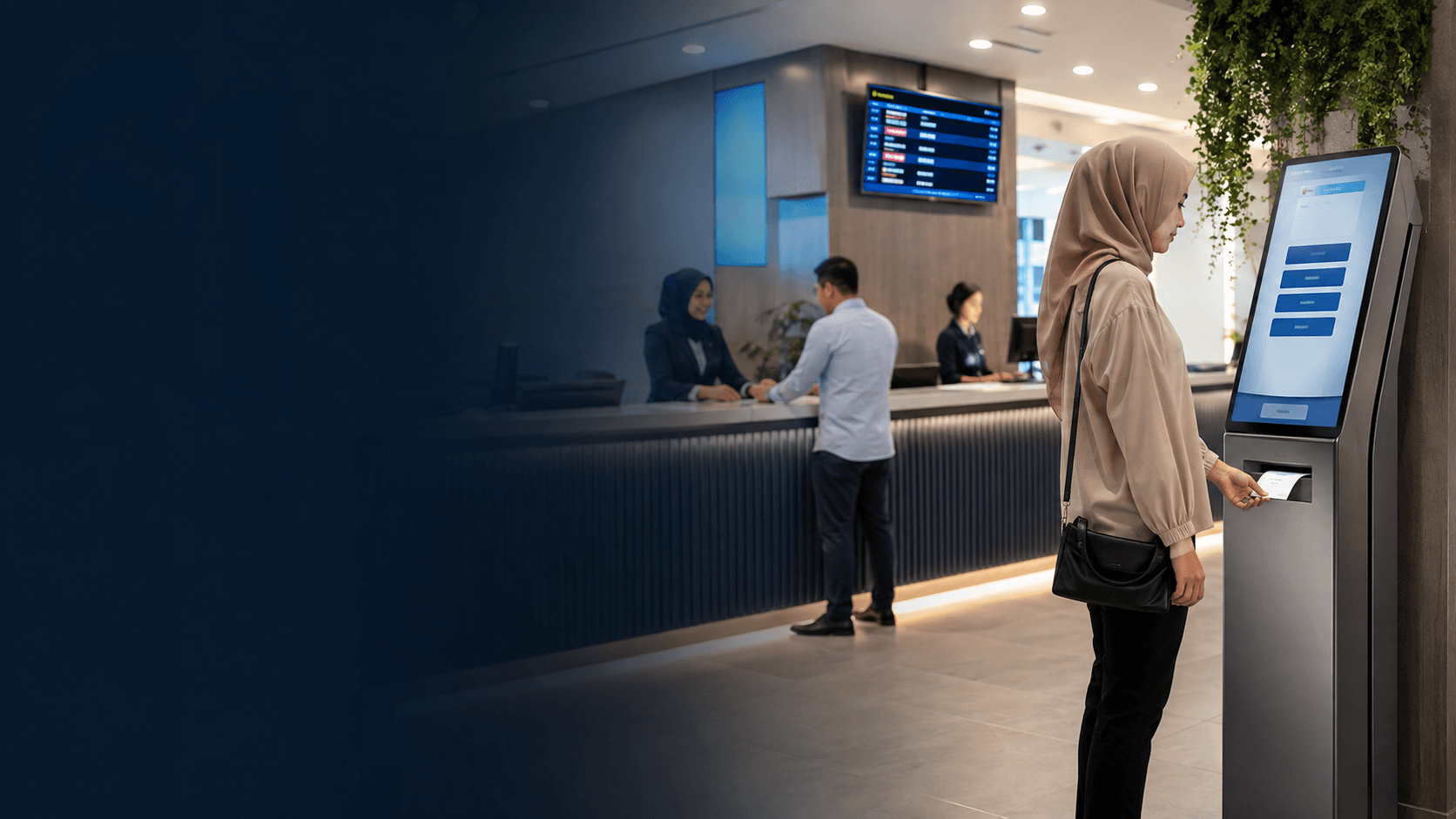
What is a virtual queueing system?
A virtual queueing system manages customer flow by issuing a digital place in line instead of requiring people to stand in a physical queue. Customers check in through a QR code scan, a kiosk, or a mobile device, then receive a virtual ticket that tracks their position. The system holds that position digitally and alerts the customer when their turn approaches, so the waiting happens away from the service counter.
This approach differs from a traditional queue because the customer does not need to remain present. The virtual queueing system keeps the order intact while the person moves freely, which changes how waiting space and staff workload are managed at the service point.
How a virtual queueing system works
The core operation of a virtual queueing system follows a consistent sequence that replaces the physical act of standing in line.
- Customer checks in by scanning a QR code at the location, using a self-service kiosk, or joining through a web link.
- The system issues a virtual ticket with a queue number and an estimated waiting time.
- The customer leaves the immediate service area and waits anywhere, such as a seat, a car, or another part of the building.
- The system sends a notification by SMS, WhatsApp, or app alert when the customer's turn is close.
- The customer returns to the designated service point and is served in the correct order.
The notification step is what separates a virtual queueing system from a simple ticket dispenser. A basic ticket machine still requires people to watch the display board. A virtual queueing system pushes the update to the customer, which removes the need to monitor the counter constantly.
Real-time updates matter most when waiting times shift. If a service takes longer than planned, the system recalculates and sends a revised notification rather than leaving customers guessing. This keeps the queue accurate even when the day does not run to schedule.
Benefits of a virtual queueing system
The main advantage of a virtual queueing system is that it separates the waiting from the location. Customers no longer crowd around the service counter, which reduces congestion in lobbies, corridors, and reception areas. For a public office or a clinic, this also means fewer people standing close together for long periods.
Staff efficiency improves because service staff call the next customer from a clear digital list instead of managing a crowd. The system removes the need for staff to repeat announcements or handle disputes about who arrived first. Each customer holds a verifiable position in the queue, so the order is transparent.
A virtual queueing system also produces data that a physical line cannot. The system records when customers checked in, how long they waited, and how long each service took. That information helps a manager see peak hours, average waiting time, and whether staffing matches demand. These are operational facts that come from the system's own records, not estimates.
Customer experience improves in a specific way: the perceived wait feels shorter when the customer controls where the wait happens. Sitting in a waiting area with a known position and a phone alert is less stressful than standing in a line with no information about how long the wait will last.
Where virtual queueing systems are used
Government offices are a common setting for a virtual queueing system because they handle high volumes of visitors with varied service needs. The Kuching Immigration Office project completed by Eyonic focused on arrival flow, staff areas, and visitor movement, which are exactly the operational points a queueing system addresses. Public offices need dependable daily operation because a queue failure stops every counter at once.
Healthcare facilities use virtual queueing to manage patient flow without packing waiting rooms. Patients check in, wait in their cars or in a spaced seating area, and receive a message when the doctor or nurse is ready. This suits clinics where appointment times run late and waiting rooms are small.
Retail and banking branches use the same model for service counters. Customers join the queue from a phone while browsing or sitting, then return when their number is called. Theme parks and attractions have used virtual queue concepts for years to reduce time spent standing in ride lines.
The common thread across these settings is a service point with variable wait times and limited physical space. A virtual queueing system works best where customers can safely step away from the counter and return when notified.
Choosing a virtual queueing system
Selecting a virtual queueing system starts with the check-in method. A QR code system requires only a printed code and a smartphone, which suits walk-in customers. A kiosk adds hardware cost but helps customers who do not use smartphones. Some systems support both, letting customers choose the method that fits.
Notification channels matter for the local context. SMS works on any phone but may carry a per-message cost. WhatsApp notifications are common in Malaysia because the app is widely used, but the system must support that channel. The chosen channel must reach the actual customer base, not just the technically comfortable segment.
Integration with existing operations is a practical constraint. A virtual queueing system that cannot connect to appointment schedules or service counters creates a separate data silo. The system should fit the way staff already work rather than forcing a new process.
Scalability is another consideration. A single counter with ten customers an hour has different needs than a government office processing hundreds of visitors daily. The system should handle peak loads without slowing down or losing queue positions.
Eyonic's approach to similar operational projects offers a useful reference point. For the Kuching Immigration Office, the work focused on arrival flow, staff areas, visitor movement, and dependable daily operation. The same priorities apply to queueing: understand how people enter, where they wait, and what the staff need to serve them reliably.
Implementing a virtual queueing system
Implementation begins with mapping the current customer journey. Walk through how a customer arrives, where they currently wait, and what happens at the service counter. This reveals which steps a virtual queueing system can replace and which parts of the physical layout still matter.
Staff training is the step most often underestimated. Service staff must know how to call the next customer, handle no-shows, and manage customers who miss their notification. A clear policy for skipped turns prevents confusion when a customer returns late.
The physical layout still needs attention even with a virtual queue. Customers need a clear place to check in, a visible service point to return to, and signage explaining how the system works. Eyonic's project work on visitor movement and staff areas shows that the physical environment and the digital system must work together.
Testing before full rollout catches problems with notifications, queue order, and staff workflows. Run the virtual queueing system alongside the existing process for a short period, then switch over once the team is confident.
A restrained next step is to share the location, property type, and required system with Eyonic on WhatsApp at +60 11-5111 7959 to discuss how queueing and security systems can support the same customer flow goals.