
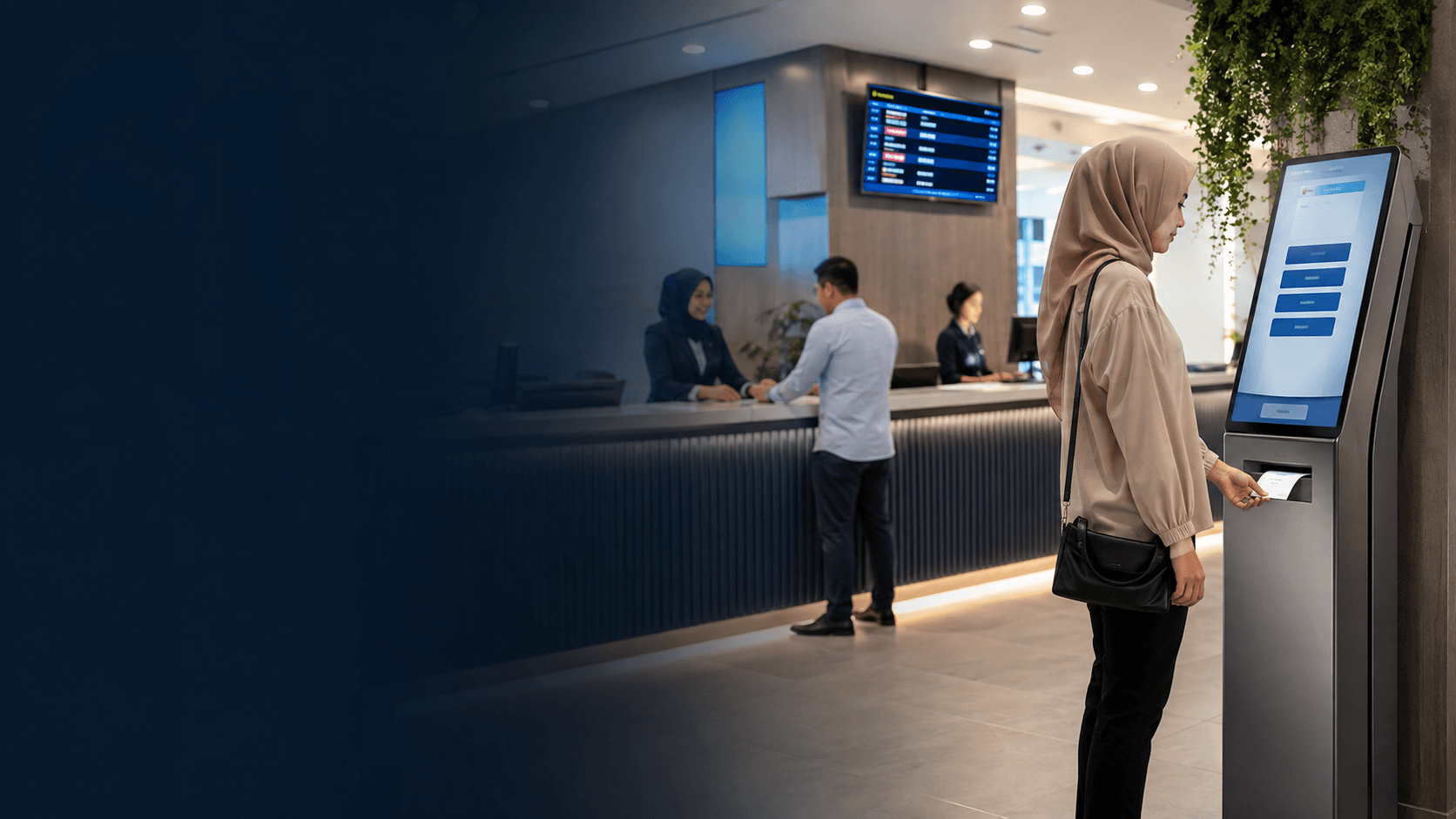
Queue management solutions software replaces physical lines with a digital system that tracks every visitor from check-in to service completion. The platform assigns queue numbers, displays estimated wait times, and notifies customers when a counter becomes available. Service teams see the full queue on a dashboard, which lets them manage workload and call the next visitor at the right moment.
What Queue Management Solutions Software Does for Service Counters
A queue management system changes how counters operate by giving staff a clear view of demand before customers reach the front. Instead of reacting to a crowded lobby, service teams can pace their work against a live queue that shows how many people wait and how long each has been there.
The core functions are straightforward. Customers check in through a kiosk, a web page, or a staff member. The software assigns them a place in line and sends updates through SMS or a display screen. When a counter frees up, the system calls the next customer automatically. Managers watch the same data to spot peak hours and adjust staffing.
For a public office such as the Kuching Immigration Office, dependable daily operation matters more than advanced features. Eyonic's work there focused on arrival flow, staff areas, and visitor movement, which are the same physical concerns that a queue system must handle alongside its digital functions. A queue management platform works best when the physical layout supports the flow the software tries to create.
Key Features to Compare in Queue Management Solutions Software
Most queue management solutions software shares a common feature set, but the depth and quality of each feature varies between vendors. Comparing platforms means looking past the marketing language and checking how each tool handles the daily realities of a busy service counter.
The features that matter most in practice include:
- **Check-in options**: kiosk, QR code, web booking, or staff-assisted entry
- **Virtual queuing**: customers join remotely and arrive when their turn approaches
- **Real-time analytics**: live dashboards showing wait times, service duration, and counter usage
- **Notifications**: SMS or app alerts that tell customers when to return
- **Appointment scheduling**: booked slots that merge with walk-in traffic
- **Integration capability**: links to existing CRM, booking, or display systems
The table below compares how leading platforms approach these features. Pricing models differ sharply, so the right choice depends on location count and expected visitor volume.
| Platform | Pricing Model | Standout Features | Best Fit |
|---|---|---|---|
| Qminder | From $429/month, trial available | Service analytics, remote sign-in, waiting room TV | Mid-size service centers needing deep reporting |
| Waitwhile | Free tier for single locations, paid plans above | Virtual waitlists, multi-channel check-in, SMS updates | Retail and hospitality with appointment blending |
| QLess | Quote-based, no public pricing | Government and DMV focus, API integrations | Public sector and higher education |
| ScanQueue | Free tier available, paid upgrades | QR check-in, SMS notifications, simple setup | Small businesses on a tight budget |
How Queue Management Solutions Software Reduces Wait Times
Queue management solutions software cuts wait times through better information flow rather than faster service. When customers know their position and estimated wait, they stop hovering near the counter. That reduces crowding and lets staff work without pressure from a visible line.
The mechanism works in three stages. First, the system captures demand at check-in, whether that happens at a kiosk or through a phone. Second, it predicts service duration based on historical data and current counter availability. Third, it staggers customer arrival so people show up when their turn is close, not forty minutes early.
Real-time analytics turn queue data into staffing decisions. A manager who sees wait times climbing at 11 a.m. can open another counter before customers abandon the line. The same data reveals which service types take longest, which staff members process fastest, and which hours consistently overload the system.
Queue Management Solutions Software for Malaysian Government and Retail
Malaysian government offices and retail outlets face different queue pressures, and queue management solutions software must adapt to each setting. Government counters handle high volumes of document processing where accuracy matters more than speed. Retail environments need flexibility for walk-in traffic and seasonal surges.
Public offices in Malaysia typically need hardware integration with ticket printers and display screens, plus appointment scheduling for services that require document review. The Kuching Immigration Office project shows why physical layout matters in these settings. Eyonic's work there addressed arrival flow and visitor movement, which are the same bottlenecks a queue system must manage. A queue platform cannot fix a reception area that funnels everyone through one narrow entrance.
Retail operations benefit more from virtual queuing and SMS notifications. A customer at a phone store can browse products while waiting instead of standing in line. Restaurants use the same system for table management. The software choice depends on whether the queue is the main experience or a side constraint.
Choosing Between Cloud and On-Premise Queue Management Solutions Software
Cloud-based queue management solutions software runs on the vendor's servers and requires only an internet connection at the service location. On-premise systems install on local hardware and keep all data within the building. Each approach has trade-offs that matter for different operation types.
Cloud platforms offer faster setup, automatic updates, and access from any device. They suit multi-location businesses that want a single dashboard for all sites. The downside is dependence on internet reliability. A clinic or government office that loses connectivity also loses its queue system unless the vendor provides offline fallback.
On-premise systems keep functioning during internet outages because the queue logic runs locally. They also keep sensitive visitor data on-site, which some Malaysian government agencies require. The cost is higher upfront hardware investment and ongoing maintenance. Staff must manage updates and backups without vendor support.
A hybrid approach works for many operations. The queue runs locally on a kiosk or counter device, while analytics sync to the cloud when connectivity allows. This preserves daily operation during outages while keeping management reporting current.
Steps to Implement Queue Management Solutions Software
Implementing queue management solutions software requires planning that matches the physical space and the customer journey. A rushed rollout creates confusion for both staff and visitors.
- Map the current customer journey from arrival to service completion, noting where bottlenecks form and how long each stage takes.
- Define the must-have features based on that map, such as virtual queuing for remote check-in or appointment slots for document-heavy services.
- Compare vendor pricing models against the location count and expected daily visitors, since per-location fees multiply quickly.
- Verify integrations with existing systems, including booking platforms, display screens, and customer databases.
- Run a pilot at one location to test the system under real traffic before committing to a full rollout.
- Train staff on the dashboard and exception handling, then monitor wait-time metrics to confirm the system delivers the expected improvement.
The pilot phase reveals issues that specifications miss. Staff may find the check-in flow confusing, or the notification timing may send customers too early. Adjusting these details before expanding to other locations prevents the same mistakes from multiplying across the operation.
Queue management solutions software delivers measurable results only when the physical environment supports it. A crowded entrance, unclear signage, or an understaffed counter will undermine even the most capable platform. The best approach pairs digital queue management with a review of the service space, the way Eyonic approached the Kuching Immigration Office by examining arrival flow and staff areas alongside the technical installation.