
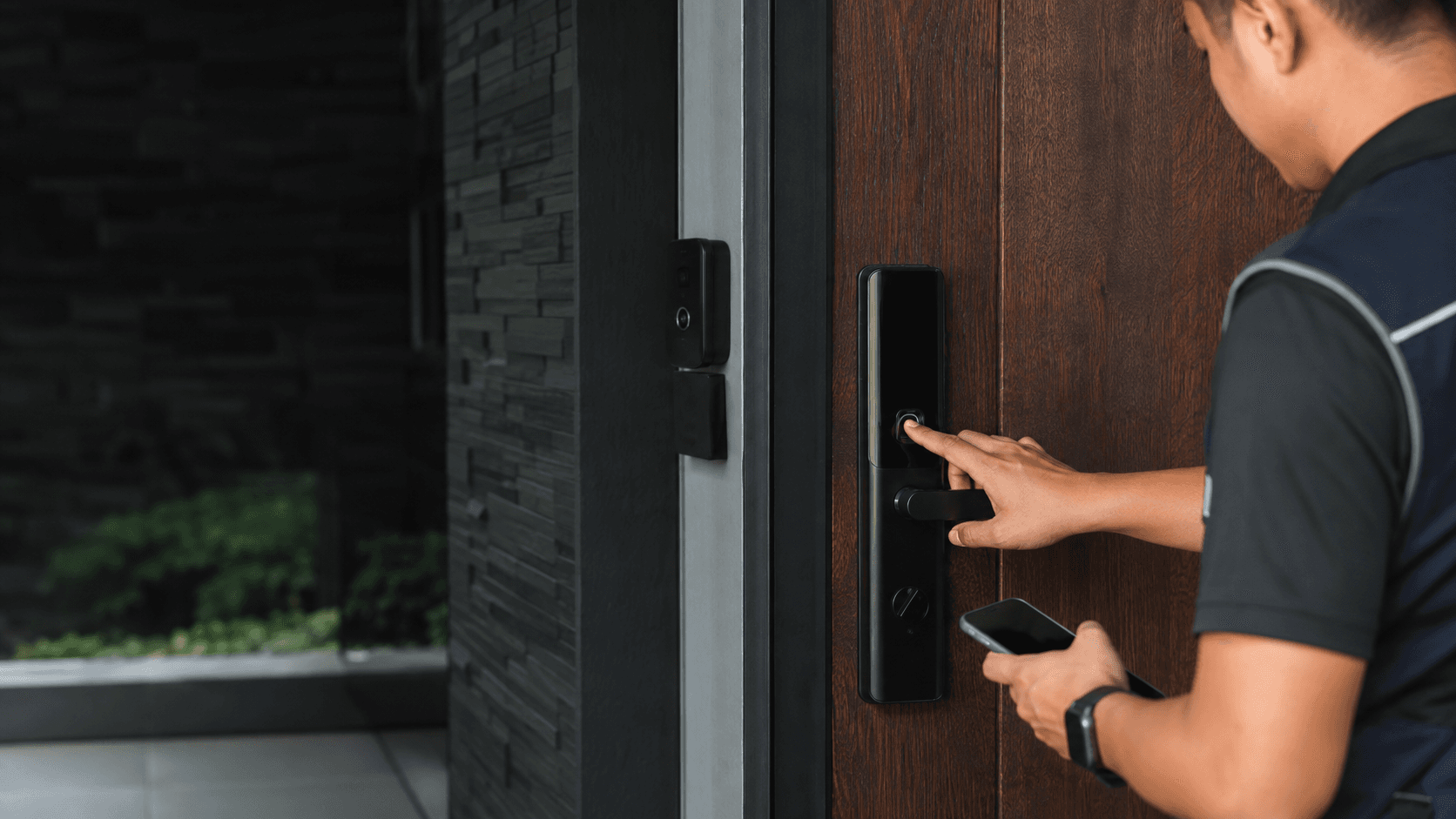
Finger Scan Door Lock. What It Is and How It Works
A finger scan door lock reads the unique ridges of a fingertip through an optical or semiconductor sensor. The lock compares that live scan against enrolled fingerprint templates stored in its memory. When the scan matches an authorised print, the latch or deadbolt retracts and the door opens without a physical key.
Most units combine the fingerprint reader with a keypad, a mechanical key override, or a mobile app. Eyonic's product review notes that smart lock door access is "good for controlled convenience when user permissions and backup entry are planned properly." That planning matters because a finger scan door lock is only as dependable as its enrolment process and fallback options.
Enrolment is the first step. Each user presses a finger onto the sensor several times so the lock captures different angles and pressure levels. The lock then stores a mathematical template, not an actual image of the fingerprint. Later scans are compared against that template, and the lock opens when the match passes its internal threshold.
Why Choose a Finger Scan Door Lock?
The main advantage of a finger scan door lock is removing the need to carry or manage keys. Household members, staff, or regular visitors can open the door with a finger press, and access can be revoked by deleting their fingerprint from the system. This is useful for rental properties, offices, and homes where many people need entry at different times.
Convenience is the strongest argument. No keys means no lost keys, no copying, and no changing locks after a tenant moves out. A finger scan door lock also records who entered, which supports basic audit trails for businesses that need to track staff movement.
For Malaysian homes, the practical benefit is often about daily routine. Parents carrying groceries, children returning from school, or helpers moving in and out all benefit from keyless entry. Eyonic's approach to smart locks is to check whether a standalone lock or a full access-control panel fits the property, since a single door and a multi-door office have different needs.
Key Features to Compare in a Finger Scan Door Lock
Not every finger scan door lock performs the same. The sensor quality, storage capacity, and backup methods vary widely between budget and premium models. Comparing these features before purchase prevents disappointment after installation.
Sensor type is the first differentiator. Optical sensors take a picture of the fingerprint and work well on dry fingers but can struggle with dirty or very worn prints. Semiconductor or capacitive sensors read the electrical differences in the finger's ridges and tend to be more accurate, though they cost more. Neither type is universally better; the choice depends on who will use the door most.
User capacity determines how many fingerprints the lock can store. A home may only need 20 to 50 entries, while a small office might require 100 or more. Check the stated capacity and whether the lock allows multiple fingerprints per person, which improves recognition reliability for the same user.
Backup entry methods are critical. A finger scan door lock that fails to read a print should still open through a PIN keypad, a physical key, or an app. Eyonic's review stresses that the backup method must be reviewed before installation. If the sensor fails or a user's finger is injured, the backup becomes the primary entry route.
Battery life and power alerts deserve attention. Most finger scan door locks run on AA batteries or a rechargeable pack. Look for low-battery warnings that appear well before the lock dies, and check whether an emergency power port exists for a temporary 9V battery or USB charge.
How to Evaluate a Finger Scan Door Lock Before Buying
Working through a short checklist before purchase reduces the chance of buying a lock that does not fit the door or the household's habits.
- Measure the door thickness and check the material, since solid wood, metal, and hollow-core doors have different mounting requirements.
- Confirm the lock's user capacity matches the number of people who need regular access, including room for future additions.
- Verify the backup entry methods include at least one non-biometric option such as a PIN, key, or app.
- Check the battery type, expected life, and whether the lock gives a clear low-battery warning before failure.
- Review the warranty and after-sales support, especially for installation help and replacement parts in Malaysia.
Door condition is the first gate. A warped or misaligned door will cause false rejections no matter how good the sensor is. Eyonic's smart lock review notes that locks work best when the door condition is reviewed before installation. Fix alignment issues first, then install the lock.
Installation and Maintenance Considerations
Installing a finger scan door lock requires matching the lock's backset and latch size to the existing door preparation. Many retrofit models fit standard deadbolt holes, but some doors need drilling or a new strike plate. A professional installer can assess the door and avoid damage that a DIY fitting might cause.
Eyonic's CCTV installation process follows a sequence of site survey, system proposal, installation, and handover. A similar approach applies to smart lock fitting. The site survey checks the door's condition and the user's access needs. The proposal matches a lock model to those needs. Installation covers physical mounting and enrolment. Handover trains the owner on daily use and troubleshooting.
Maintenance is mostly about the sensor and the batteries. Wipe the sensor regularly with a soft, dry cloth to remove oil and dust. Replace batteries on a schedule rather than waiting for the lock to fail. If the lock is on an exterior door exposed to rain or direct sun, check the IP rating and confirm the unit suits Malaysian weather conditions.
Edge cases matter. Very dry fingers, wet hands, or cuts on the fingertip can cause recognition failures. Users with manual labour jobs often have worn prints that some sensors cannot read. Testing the lock with the actual users before committing to a model prevents these problems from surfacing after installation.
Finger Scan Door Lock vs. Traditional Locks
A traditional keyed lock offers simplicity and low upfront cost, but keys create management overhead. Lost keys mean rekeying or replacing the cylinder. Shared keys cannot be individually revoked without changing the lock for everyone. A finger scan door lock removes those issues but introduces power dependency and a higher purchase price.
Security comparison depends on the specific models. A basic keyed lock can be picked or bumped, while a finger scan door lock resists those attacks. However, a cheap fingerprint lock with a weak sensor may accept a fake fingerprint or fail to reject an unauthorised print. The lock's physical build quality and the sensor's accuracy determine real security, not the presence of biometrics alone.
Reliability favours traditional locks in one narrow sense: a purely mechanical lock never runs out of battery. A finger scan door lock with a dead battery and no backup key becomes a locked door. That is why the backup method is not optional. Every finger scan door lock should have at least one non-biometric way to open it.
For businesses, the comparison shifts. Eyonic's smart lock review explains that for business use, the installer checks whether a standalone smart lock or an access-control panel is more appropriate. A single office door may suit a standalone finger scan door lock, while a building with many doors and staff levels needs a centralised panel that manages permissions across all entry points.
. Security and Reliability
The security of a finger scan door lock rests on the sensor's ability to reject false matches and the lock's physical resistance to forced entry. High-quality sensors use liveness detection to distinguish a real finger from a printed or moulded copy. Budget sensors may lack this protection, so the price difference often reflects genuine security capability.
Reliability depends on consistent enrolment and regular use. A finger scan door lock that is used daily by the same people tends to perform well because the sensor learns the fingerprint variations over time. Locks used infrequently or by many different people may show higher false rejection rates. Enrolling each user's primary finger and a backup finger reduces this risk.
Eyonic's completed project at the Kuching Immigration Office focused on arrival flow, staff areas, visitor movement, and dependable daily operation. That project used CCTV rather than door locks, but the principle transfers: access systems for busy environments must handle high traffic without slowing people down. A finger scan door lock on a frequently used entrance needs a fast sensor and a high user capacity to avoid queues.
Battery failure is the most common reliability issue. Most locks alert well before the battery dies, but the alert only helps if someone acts on it. Setting a fixed battery replacement schedule, such as every six months, prevents unexpected lockouts. The emergency power port provides a temporary solution, but it requires carrying a power source to the door.
Warranty and after-sales support determine how a lock performs over its lifetime. A finger scan door lock with a short warranty and no local support becomes a costly replacement when the sensor fails. Choosing a supplier that offers installation and follow-up service reduces this risk. Eyonic's team has over a decade of experience in digital security installation for commercial businesses in Sarawak, which supports the practical side of fitting and maintaining access systems.
For Malaysian buyers, the decision comes down to matching the lock to the door, the users, and the expected traffic. A finger scan door lock is a sound investment when the door is in good condition, the users' fingerprints read reliably, and a backup entry method is in place. When those conditions are met, the lock delivers the convenience of keyless entry without sacrificing dependable daily operation.