
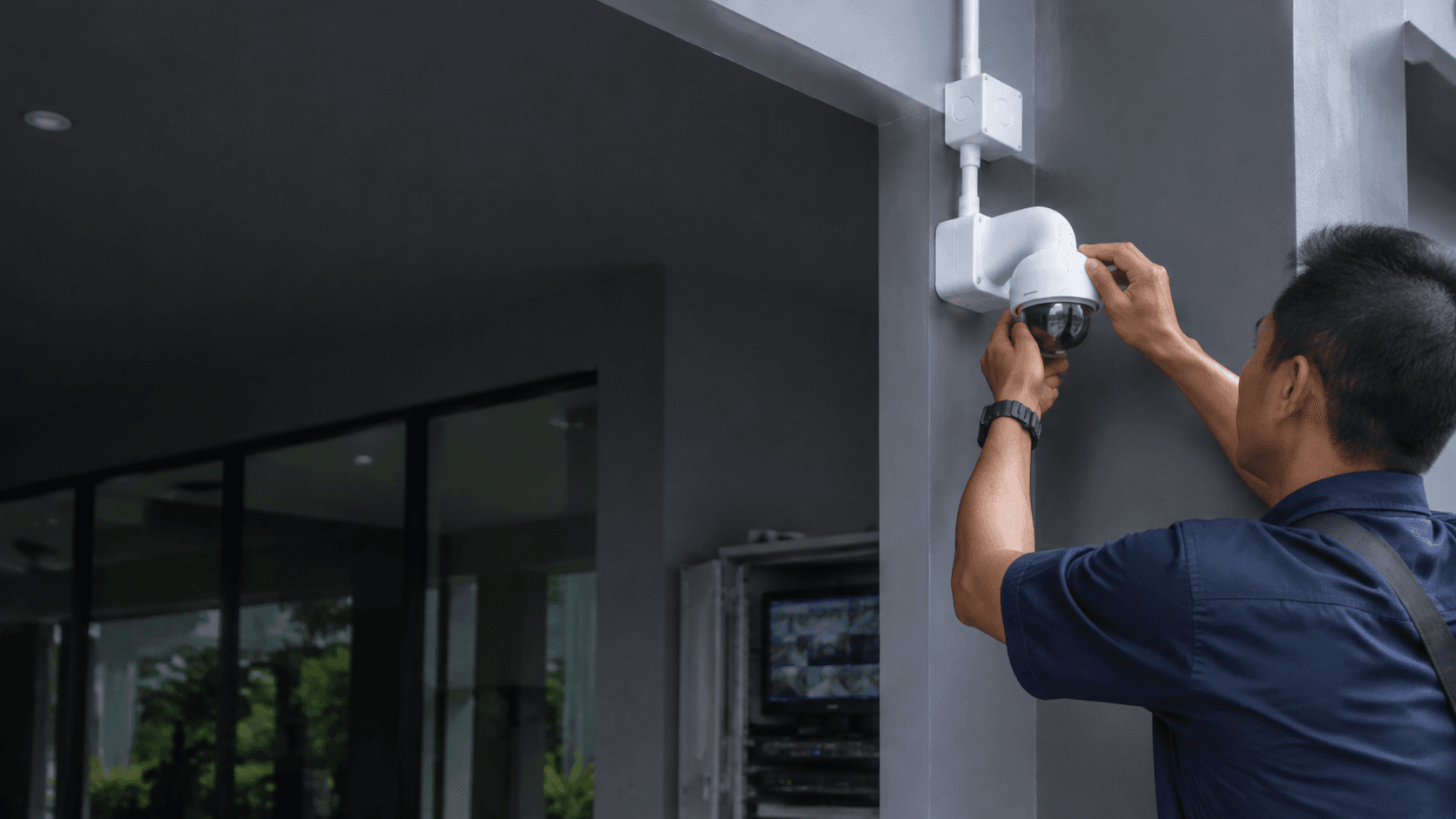
Wifi Security Camera Options for Homes and Offices
Choosing a wifi security camera starts with matching the system to the property type and the specific areas that need monitoring. Homes typically need coverage of entry points, common areas, and outdoor perimeters, while offices often require monitoring of arrival zones, staff workspaces, and visitor movement areas. Eyonic Sdn Bhd plans, supplies, and installs monitoring systems with camera placement, recording, and remote viewing for homes, offices, shops, and industrial sites across Sarawak.
A wifi security camera differs from a traditional wired CCTV unit in how it transmits video. Instead of running coaxial or network cables from each camera back to a recorder, a wifi security camera sends footage over the local wireless network to an NVR or directly to a viewing app. This reduces cabling work but introduces new considerations around signal strength, power supply, and network reliability that a professional installer can assess during a site survey.
The practical distinction matters most at installation time. A wifi security camera still needs electrical power at each camera location, so "wireless" refers to the video signal path rather than the absence of all cables. Battery-powered units exist, but plug-in models provide continuous recording without the need to recharge or replace batteries periodically. For properties in Sarawak where reliable daily operation is the priority, understanding this power requirement before choosing a system prevents unexpected downtime.
Key Features That Matter in a Wifi Security Camera
Several features determine whether a wifi security camera will perform well for a specific property. Remote viewing capability is central to the value of these systems, allowing property owners to check live footage from a phone or computer without being on site. NVR setup handles the recording and storage side, ensuring that footage is captured and retrievable when needed.
Camera placement quality often matters more than raw specifications. Eyonic recommends checking actual lighting conditions before confirming placement for ColorVu-style cameras, which are designed to produce colour footage in low light. A camera positioned without considering the available light at night may capture poor footage regardless of its stated resolution or sensor quality.
Two-way audio appears across many wifi security camera product lines and serves different purposes depending on the setting. In a home, it allows a resident to speak with a visitor at the door or warn a delivery person. In an office, it can support reception staff who need to communicate with people approaching the building. The feature is only useful when the camera is placed where the microphone and speaker can pick up clear sound without excessive background noise.
Storage and subscription models vary widely among wifi security camera brands. Some systems record to a local microSD card or NVR hard drive with no ongoing fee, while others rely on cloud subscriptions for footage history. Local storage keeps data on the property and avoids monthly costs, but cloud storage offers off-site backup if the camera or recorder is stolen or damaged. The right choice depends on whether continuous recording or event-triggered clips are needed and how much footage history the property owner wants to keep.
Eyonic Installation and Setup Process
Eyonic follows a structured installation process for CCTV systems that applies equally to wifi security camera projects. The process begins with understanding the property and its monitoring needs before any equipment is mounted or configured.
Site survey to assess the property layout, identify coverage priorities, and check conditions such as lighting and network signal strength.
System proposal that matches suitable equipment to the surveyed site and outlines the planned camera positions and recording setup.
Installation of the cameras, NVR, and network components with attention to tidy cabling and secure mounting.
Handover covering how to view footage remotely, manage recordings, and operate the system day to day.
The site survey stage is particularly important for a wifi security camera because wireless performance depends on the physical environment. Walls, metal structures, and distance from the router all affect signal quality. A survey conducted before installation identifies weak spots and allows the installer to recommend additional access points or adjusted camera positions rather than discovering problems after equipment is mounted.
Eyonic's project history shows the range of settings where this process applies. The Kuching Immigration Office project focused on arrival flow, staff areas, visitor movement, and dependable daily operation, with an approximate budget of RM 12,000 to RM 28,000. A separate project for KTA Sarawak Sdn Bhd, an engineering consultancy, addressed staff movement, visitor handling, tidy cabling, and clearer daily site control with an approximate budget of RM 8,000 to RM 18,000. These examples illustrate how monitoring priorities differ between a public office handling high visitor volumes and a consultancy managing staff and client traffic.
Wifi Security Camera Placement and Lighting Checks
Placement decisions determine how effectively a wifi security camera captures useful footage. Entry points deserve priority because they record who enters and leaves a property. For homes, this includes front and back doors, ground-floor windows, and garage access. For offices, reception areas, staff entrances, and corridors leading to sensitive rooms are typical priorities.
Lighting conditions at night should be verified before finalising camera positions. Eyonic recommends checking actual lighting conditions before confirming placement for ColorVu-style cameras, which rely on available light to produce colour footage in low-light conditions. A camera placed where a security light or street lamp provides consistent illumination will perform differently from one positioned in complete darkness. The installer should assess each proposed location at the time of day when monitoring matters most, not just during a daytime survey.
Network signal strength is another placement factor unique to wifi security camera systems. A camera mounted far from the router or behind thick walls may experience dropped connections or degraded video quality. During installation, the signal at each camera position should be tested before final mounting. If the signal is weak, options include repositioning the camera, adding a wireless access point, or using a wired connection for that particular unit.
Getting Started with Eyonic in Malaysia
Property owners in Sarawak considering a wifi security camera can begin by defining the monitoring priorities for their specific location. A home with a single entrance and an open-plan interior has different requirements from an office with multiple staff areas and visitor zones. Clarifying which areas need coverage and whether remote viewing is essential helps shape the system design.
Eyonic's experience spans government and private sector projects in Kuching, including work for the Kuching Immigration Office and KTA Sarawak Sdn Bhd. The company's CCTV installation services cover the full process from site survey through handover, with a focus on practical, user-friendly solutions rather than simply supplying equipment. Eric Yong, founder of Eyonic Security Systems, has more than 10 years of experience in technical installation of digital security solutions for commercial businesses in Sarawak.
For properties where a complete system is needed, Eyonic offers a Hikvision CCTV package at RM 1,599. Individual camera pricing beyond this package level is not published, so the actual cost of a wifi security camera system depends on the number of cameras, the chosen model, and the site-specific installation work identified during the survey. Sharing the location, property type, and required system with Eyonic on WhatsApp at +60 11-5111 7959 is the next practical step for a property-specific assessment.