
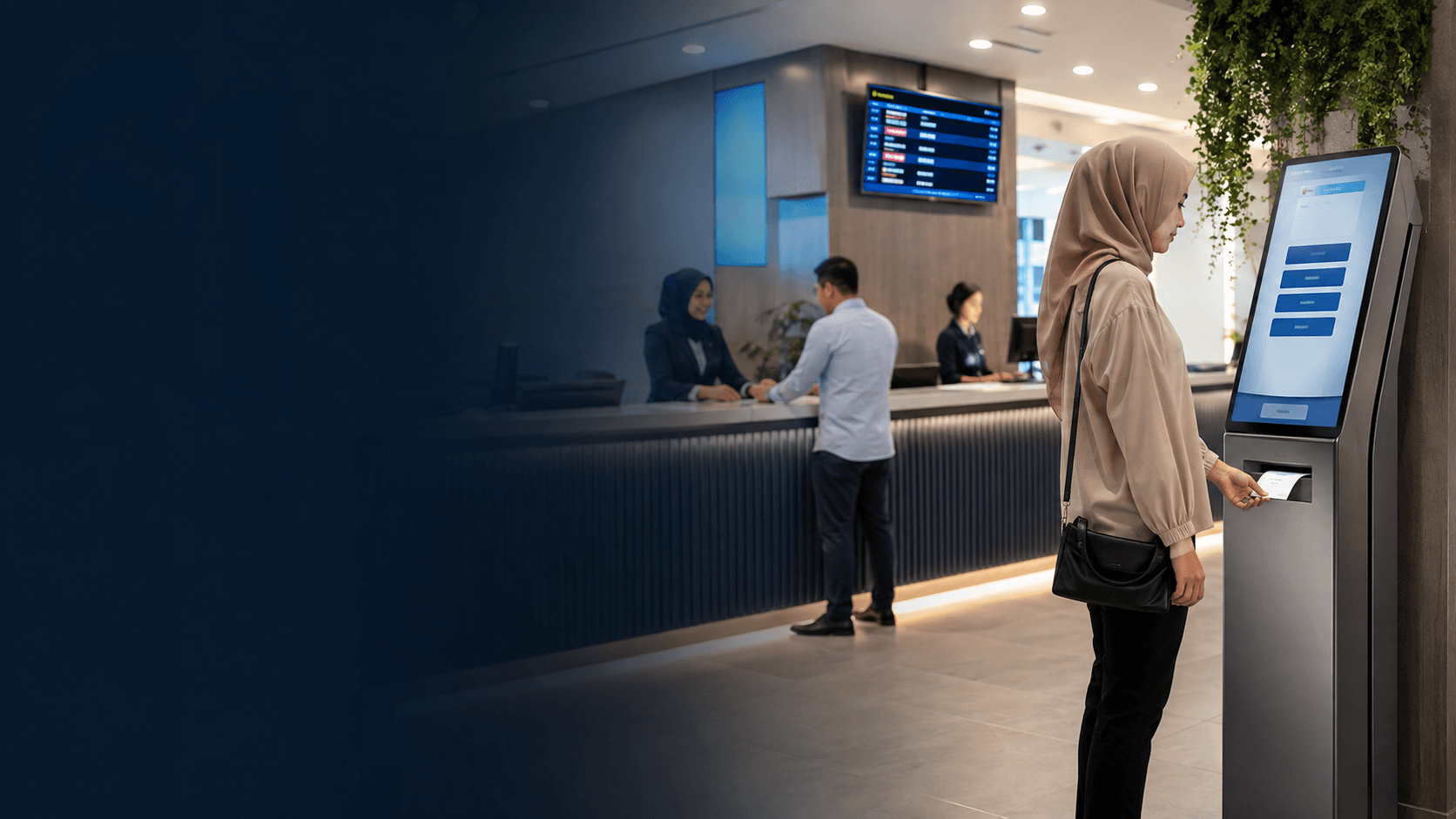
How Queue Management Ticketing Works
Queue management ticketing replaces unstructured lines with a clear sequence that both staff and visitors can follow. The system assigns each customer a position, tracks service progress, and signals when the next person should step forward. This approach works for physical counters, virtual waiting rooms, and hybrid setups where customers check in remotely.
The core process follows a predictable sequence that most queue management ticketing deployments share:
- Customer takes a ticket from a kiosk, counter, or mobile check-in point.
- The system records the ticket number, timestamp, and selected service category.
- Display screens and audio announcements call the next ticket when a service point becomes free.
- Staff serve the customer and mark the ticket as completed in the system.
- Reports capture wait times, service durations, and no-show patterns for later review.
Ticket queue management for help desks follows the same logic but applies it to digital requests. Support tickets enter a shared queue, get prioritized by urgency or service level, and route to available agents. The visible difference is that customers never stand in a physical line; they wait for an agent to pick up their request.
Key Components of a Queue Management Ticketing System
A complete queue management ticketing setup combines hardware, software, and display elements. The ticket dispenser is the entry point where customers select a service and receive their number. Kiosks with touchscreens handle more complex selections, such as choosing between multiple counters or departments.
Display screens show current ticket numbers and which counter each customer should approach. Audio systems announce the same information for visitors who cannot see the screen. Staff terminals let service agents call the next ticket, pause service, or transfer customers to another counter.
The reporting module records every transaction. Managers can see peak hours, average service time per counter, and how long customers wait before being served. This data helps schedule staff and adjust counter allocation during busy periods.
Virtual queue management ticketing adds a remote layer. Customers reserve a place in line through a mobile app or website and receive updates about their position. They can wait elsewhere and return only when their turn approaches, which reduces crowding in waiting areas.
Benefits of Queue Management Ticketing
The clearest gain from queue management ticketing is shorter perceived wait times. Customers who hold a numbered ticket know their position and can relax instead of guarding a spot in a physical line. This reduces anxiety and makes the wait feel more controlled.
Operational data is the second major benefit. Queue management ticketing produces records of customer volume, service speed, and bottleneck points. A manager can see that counter three handles twice the traffic of counter one and adjust staffing accordingly.
Fairness improves because the system enforces order. Customers cannot push ahead or claim a spot they did not earn. This matters in government offices, clinics, and banks where service order is a frequent source of conflict.
Staff productivity rises when the system removes the need to call out "next" repeatedly or manage disputes about who arrived first. Employees focus on serving the current customer instead of policing the line.
For public offices handling high visitor volumes, dependable daily operation depends on systems that do not fail mid-shift. The Kuching Immigration Office project completed by Eyonic focused on arrival flow, staff areas, and visitor movement, with an approximate budget of RM 12,000 to RM 28,000. That project addressed security and monitoring rather than ticketing, but it shows how visitor flow analysis informs the layout decisions that queue management ticketing depends on.
Queue Management Ticketing in Different Industries
Government offices use queue management ticketing to manage document submissions, payments, and inquiries. Visitors take a ticket for the correct service window, and staff call numbers in order. This prevents crowding at counters and gives officials a clear view of daily demand.
Healthcare facilities apply the same logic to outpatient registration, pharmacy pickup, and laboratory services. Patients receive a ticket instead of clustering around the reception desk. Clinics can prioritize urgent cases while keeping routine visits in sequence.
Banks and financial services use queue management ticketing to separate teller transactions from consultation services. Customers select the appropriate category at the kiosk, and the system routes them to the right staff member. This reduces misdirected queues and shortens service time.
Retail stores and service centers use ticketing for returns, repairs, and specialist consultations. A customer bringing in a faulty device takes a ticket for the technical desk rather than waiting in the checkout line.
Event venues and ticketing platforms use virtual queue management for high-demand sales. When thousands of visitors try to buy tickets at once, an online queue controls traffic and prevents the site from crashing. Visitors see their position and estimated wait time instead of receiving an error message.
Choosing the Right Queue Management Ticketing System
The first decision is physical versus virtual. A clinic or government office with walk-in visitors needs ticket kiosks and display screens. An online event sale needs a virtual waiting room that manages web traffic. Some businesses combine both, letting customers join a queue remotely and check in physically when they arrive.
Service complexity determines how many ticket categories the system needs. A single-counter operation can use a simple sequential number. A multi-department office needs category selection so customers reach the correct counter without re-queuing.
Integration matters for businesses that already use appointment scheduling or customer relationship software. Queue management ticketing that shares data with these tools gives a fuller picture of customer flow. Standalone systems work but require manual data transfer for reporting.
Scalability affects long-term cost. A system that handles one location may struggle when a second branch opens. Cloud-based queue management ticketing scales more easily than on-premise hardware, though it depends on reliable internet connectivity.
The physical environment constrains hardware choices. Ticket kiosks need power and space near the entrance. Display screens must be visible from the waiting area. Staff terminals need to sit close to service counters. A site survey before installation identifies these constraints and prevents costly repositioning later.
Eyonic's CCTV installation process includes site survey, system proposal, installation, and handover. The same staged approach applies to any visitor flow system, including queue management ticketing. Checking actual conditions before confirming placement prevents problems that appear only after installation.
For businesses in Sarawak, local support matters. A queue management ticketing system that fails during peak hours creates the exact chaos it was meant to prevent. Working with a supplier who understands the site and can respond quickly keeps operations running.
The KTA Sarawak Sdn Bhd project shows how Eyonic approaches office environments. The engineering consultancy needed a practical office setup in Kuching to support staff movement, visitor handling, and clearer daily site control, with an approximate budget of RM 8,000 to RM 18,000. Visitor handling and staff movement are the same concerns that queue management ticketing addresses, even when the solution involves monitoring rather than ticketing hardware.
Queue management ticketing delivers the most value when the system matches the actual service pattern. A simple sequential queue suits low-volume counters. Category-based ticketing suits offices where customers need different services. Virtual queues suit businesses with remote customers or limited waiting space.
The reporting capability separates a useful system from a basic number dispenser. Queue management ticketing should answer questions about peak demand, average service time, and customer abandonment. Without these metrics, managers cannot identify which counters need more staff or which hours need longer shifts.
Staff training is an overlooked factor. A queue management ticketing system fails when employees do not use it consistently. Staff must know how to call the next ticket, handle no-shows, and transfer customers between counters. Clear procedures prevent the system from becoming an ignored tool.
Queue management ticketing is not the right fit for every business. A small shop with one counter and low traffic gains little from a ticketing system. The hardware cost and staff training outweigh the benefits when lines rarely form. The system earns its keep where multiple service points operate, customer volume fluctuates, or service order disputes occur regularly.