
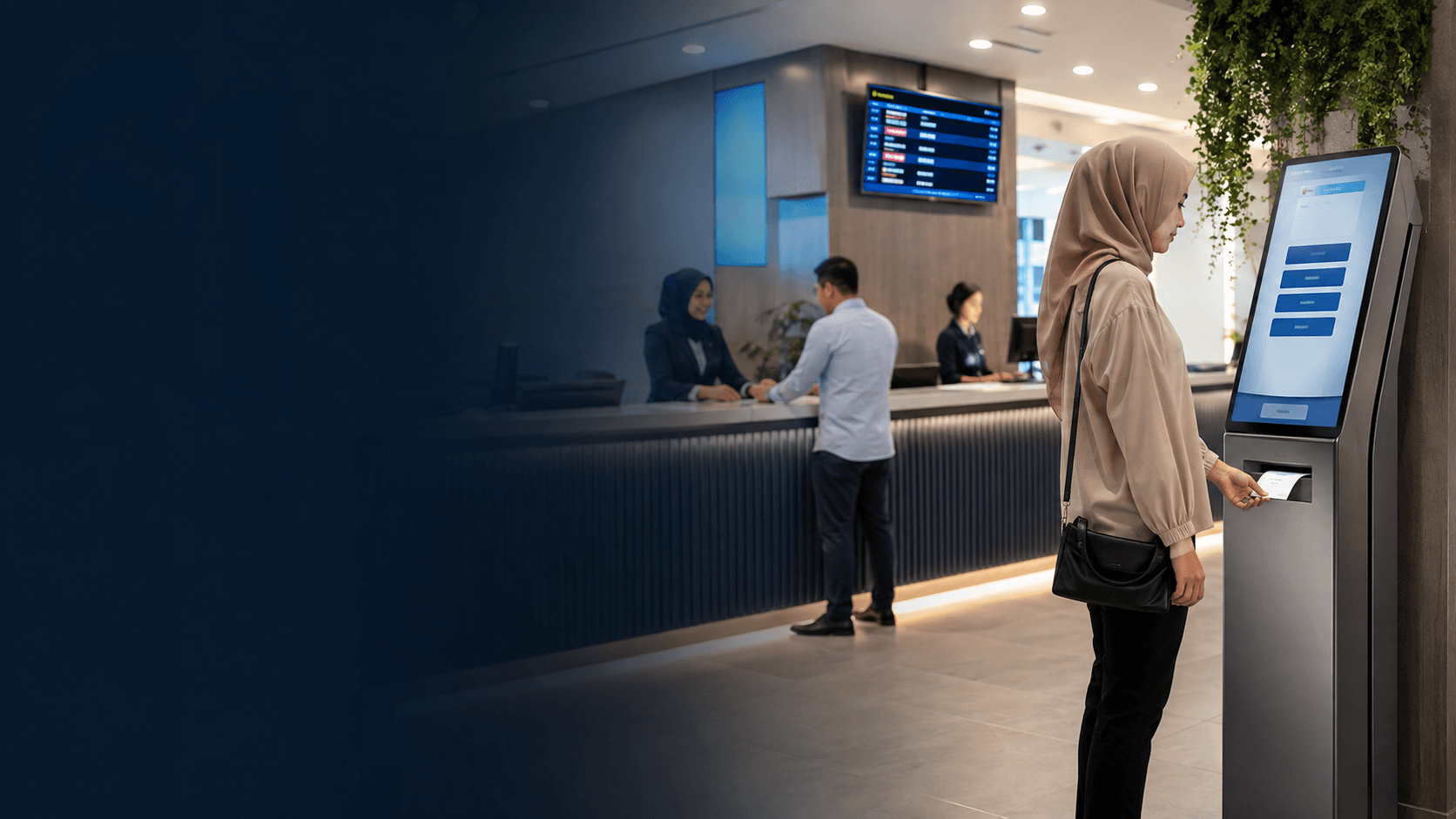
What is a Queue Management System?
A queue management system replaces unstructured physical lines with an organized method of managing customer flow. The system assigns each customer a position in line, tracks their status, and directs them to the appropriate service point when staff become available. Modern queue management systems combine hardware such as ticket kiosks and display screens with software that manages the queue logic and collects operational data.
Traditional approaches include simple sign-in sheets and ticket-based systems where customers take a numbered ticket and wait for their number to be called. Digital queue management systems extend this concept with virtual queues, allowing customers to join a queue remotely through a mobile device or QR code rather than standing in a physical line. These systems centralize appointments and waitlists in a single platform and automate the management of both.
How a Queue Management System Works
The core operation of a queue management system follows a predictable sequence that moves a customer from arrival to service completion. Understanding this flow helps businesses identify where bottlenecks occur and which system features will address them.
- Customer arrival and check-in through a kiosk, counter, mobile device, or staff member who registers the visitor into the system.
- Queue assignment where the system places the customer into the appropriate service line based on the type of visit or service required.
- Waiting period during which the customer receives updates about their position and estimated wait time through displays, SMS, or mobile notifications.
- Service call when the system notifies the customer that a staff member is ready, directing them to the correct counter, room, or service point.
- Service delivery and completion where staff mark the customer as served, freeing the queue position for the next customer.
- Follow-up and data collection where the system records service duration, wait time, and other metrics for operational analysis.
The queue management system uses different service disciplines to determine who gets served next. First-in-first-out ordering is the most common, but systems can prioritize certain customer types, such as appointment holders or premium service members. Some systems also route customers to specific staff based on skill sets, ensuring complex cases reach the right personnel.
Benefits of a Queue Management System
A queue management system delivers measurable improvements across customer experience, staff productivity, and operational oversight. The benefits extend beyond simply organizing a line; they change how customers perceive waiting and how staff manage their workload.
Reduced Perceived Wait Time
Customers who receive updates about their queue position perceive waiting as shorter than those left in uncertainty. A queue management system reduces customer uncertainty with notifications and messaging, allowing people to wait comfortably rather than hovering near the service counter. This matters in environments where wait times fluctuate, such as government offices, clinics, and banks.
Improved Staff Efficiency
Staff spend less time managing crowds and answering "how much longer" questions when a queue management system handles communication. The system enables staff planning and increases staff mobility because employees can call the next customer only when ready, eliminating the pressure of a visible crowd. Service quality improves when staff can match the right competence to each customer case rather than serving whoever happens to be at the front.
Operational Data and Bottleneck Identification
Every transaction through a queue management system generates data about arrival patterns, service duration, and wait times. Managers can identify bottlenecks and improve operations by examining which service points consistently run behind and which hours produce the longest queues. This data supports staffing decisions, such as adding counter staff during peak periods or redirecting customers to self-service options.
Higher Customer Satisfaction and Loyalty
Customers who experience orderly, predictable service are more likely to return. A queue management system reduces the frustration of ambiguous waiting and gives customers control over how they wait. For businesses, this translates into better customer retention and reduced walkaway rates when queues become unmanageable.
Features to Compare
Businesses evaluating a queue management system should compare features against their specific operational needs rather than selecting on price alone. The right system depends on customer volume, service complexity, and whether visitors can wait remotely.
Check in Methods
Systems differ in how customers join the queue. Kiosk-based check-in works well for high-volume locations where customers arrive in person. Mobile and QR code check-in suits businesses where customers can join before arriving or prefer to wait elsewhere. Some systems support greeter-assisted check-in for locations serving less tech-savvy customers. A system that supports multiple check-in methods offers flexibility as customer preferences evolve.
Notification and Communication Channels
The queue management system should notify customers through channels they actually use. Display screens work for on-site waiting areas, while SMS and mobile app notifications serve virtual queue customers. Two-way messaging allows staff to update customers about delays or confirm they are on their way. Businesses serving international visitors should check whether the system supports the messaging channels common in their region.
Integration Capabilities
A queue management system rarely operates in isolation. Integration with appointment scheduling software, customer relationship management platforms, and existing booking systems prevents double-booking and gives staff a complete view of customer interactions. Businesses should verify which integrations the vendor supports and whether they require additional configuration or fees.
Reporting and Analytics Depth
Basic systems report daily customer counts and average wait times. More advanced queue management systems provide real-time dashboards, historical trend analysis, and service-level breakdowns by counter or staff member. The reporting depth needed depends on whether management will use the data for daily staffing decisions or broader operational planning.
Implementation Steps
Implementing a queue management system requires more than installing hardware and switching it on. A structured rollout ensures staff adopt the system and customers understand the new process.
Assess Current Queue Pain Points
Document the existing customer flow, noting where queues form, how long customers wait, and which service points cause delays. This baseline helps set clear objectives for the queue management system, such as reducing average wait time by a specific number of minutes or eliminating walkaways during peak hours.
Select the System Type and Vendor
Choose between a physical ticket-based system and a virtual queue management system based on whether customers can wait remotely. Physical systems suit locations where customers must remain on-site, such as clinics with limited waiting areas. Virtual systems benefit businesses where customers can return at their appointment time, such as retail stores or service centers. Request demonstrations and compare how each system handles peak load and service interruptions.
Configure the Queue Logic
Set up the service types, priority rules, and routing logic within the system. This includes defining which services use the same queue, whether appointment customers jump the walk-in line, and how the system directs customers to specific counters. Configuration should reflect the actual service workflow, not force the workflow to fit the system.
Test the System Before Launch
Run the queue management system in a controlled environment with staff acting as customers. Test edge cases such as no-show appointments, customers who miss their call, and system failures mid-service. Verify that notifications reach customers correctly and that the display screens show accurate information.
Train Staff on the New Process
Staff must understand not only how to operate the system but also how to handle exceptions. Training should cover calling the next customer, managing no-shows, overriding queue priorities when necessary, and troubleshooting common technical issues. Staff who understand the system's purpose are more likely to use it consistently.
Launch and Monitor Performance
Start with a soft launch during a low-traffic period to identify issues before peak demand. Monitor wait times, customer feedback, and staff adoption in the first weeks. Use the system's reporting to refine queue configurations, adjust staffing levels, and address any service points that continue to experience delays.
in Malaysia
Businesses in Malaysia evaluating a queue management system should consider local operational realities, including customer expectations, infrastructure reliability, and the types of services that generate queues. Government offices, healthcare facilities, banks, and retail outlets in Malaysia commonly deal with high visitor volumes and need systems that manage both walk-in and appointment-based traffic.
The Kuching Immigration Office project completed by Eyonic illustrates how public-facing operations in Malaysia require practical support focused on arrival flow, staff areas, and visitor movement. While that project centered on security and monitoring rather than queue management software, it highlights the importance of dependable daily operation in Malaysian public service environments. A queue management system deployed in such settings must handle consistent daily volume without downtime, because service disruptions directly affect citizens waiting for essential services.
Malaysian businesses should verify that a queue management system supports local communication preferences. SMS notifications remain widely used in Malaysia, and support for messaging platforms popular in the region can improve customer engagement. Cloud-based systems offer flexibility but depend on reliable internet connectivity, which varies across Malaysian locations. Businesses in areas with intermittent connectivity should consider whether the system offers offline fallback or local server options.
Implementation support matters as much as the software itself. Businesses should confirm that the vendor provides on-site configuration, staff training, and responsive maintenance, particularly for operations that cannot afford extended downtime. The practical installation approach used by Eyonic for security systems, which includes site survey, system proposal, installation, and handover, reflects the kind of structured deployment that queue management system projects also require in Malaysia.